
Open-source platform for rhythm gaming and music education.
Multi-instrument gameplay, chart creation tools, music theory training, lessons, minigames, and a powerful plugin ecosystem.
Play Now!![fee[dB]ack home screen — library, practice panel, and live rig status](assets/home.webp)
One Platform. Every Instrument.
Fee[dB]ack is designed around the idea that every musician should be able to participate.
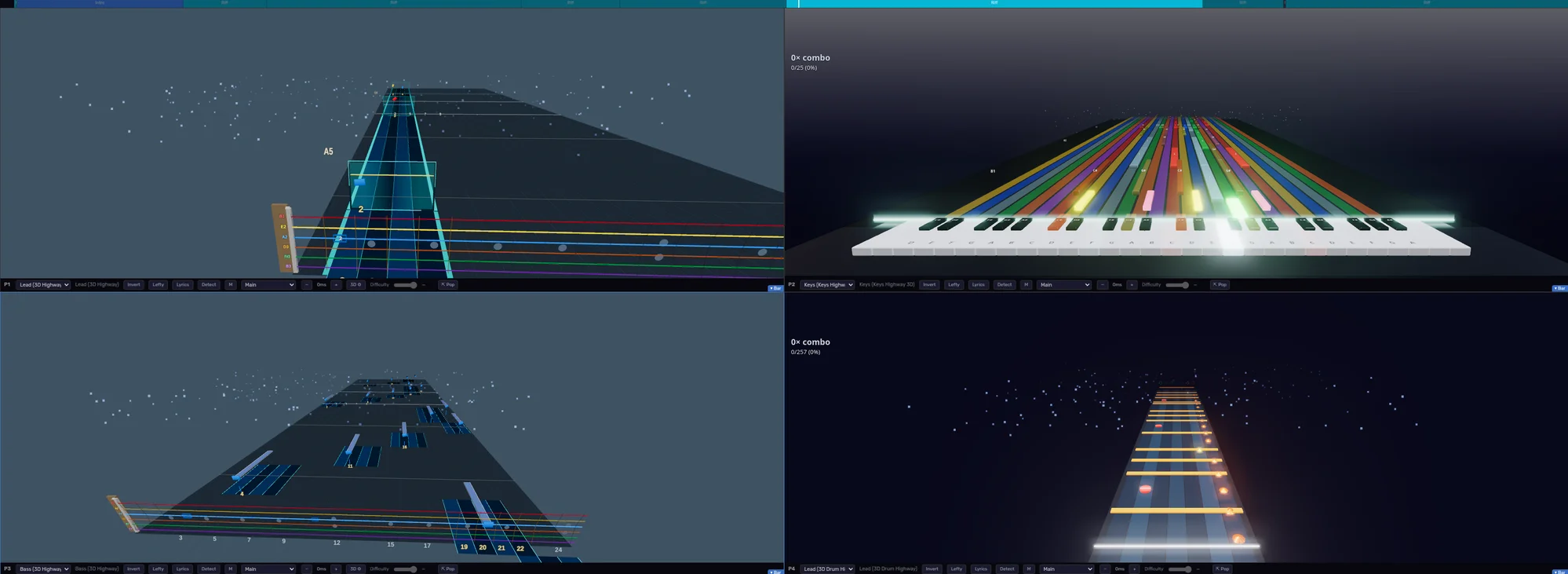
Play guitar, bass, drums, vocals, or keys using dedicated gameplay experiences tailored to each instrument. Jump into split-screen sessions with friends, practice your own parts, or perform together as a complete band.
No matter how you choose to play, Fee[dB]ack gives you the tools to learn, improve, and make music together.
Instruments
Guitar
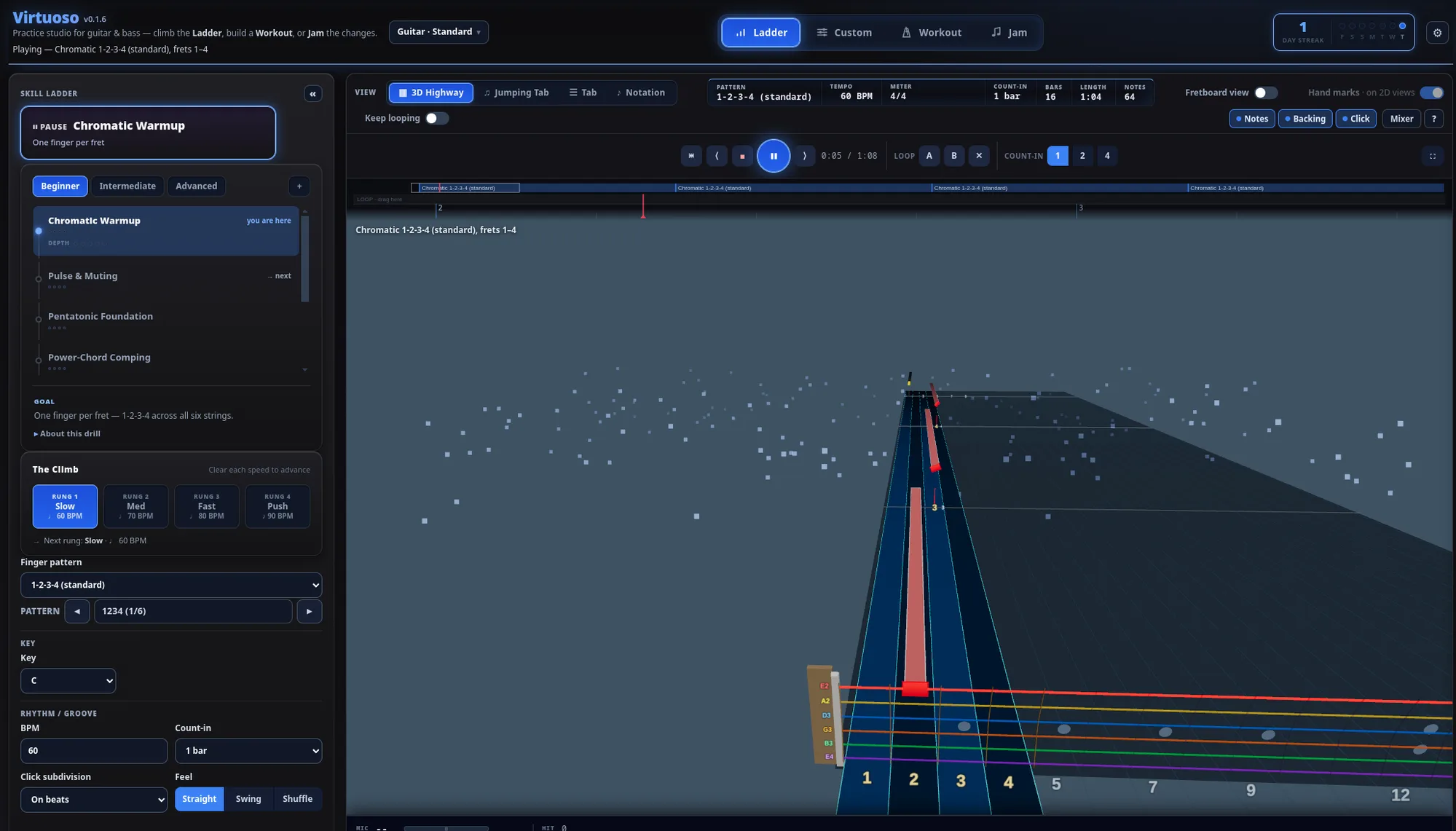
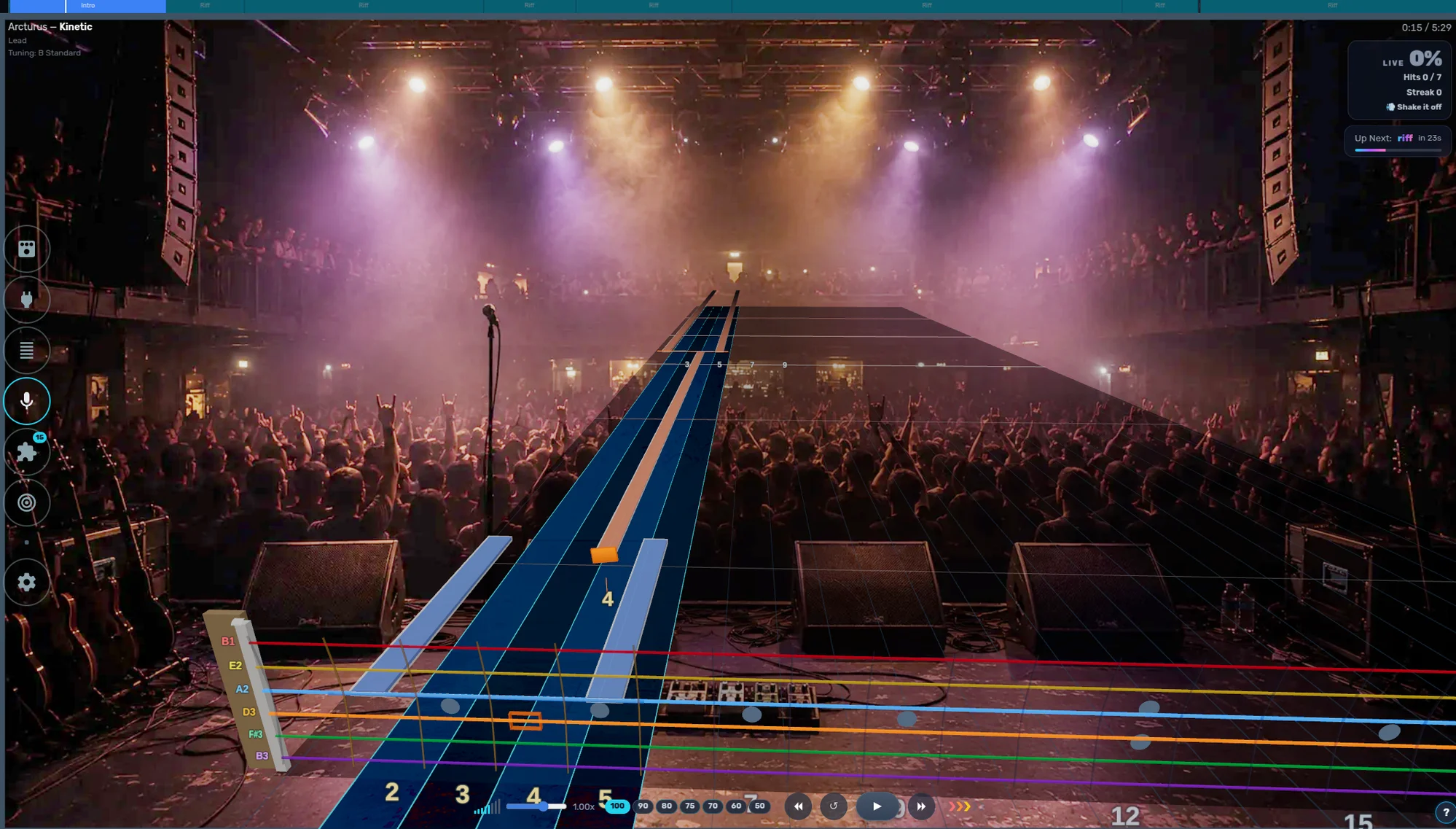
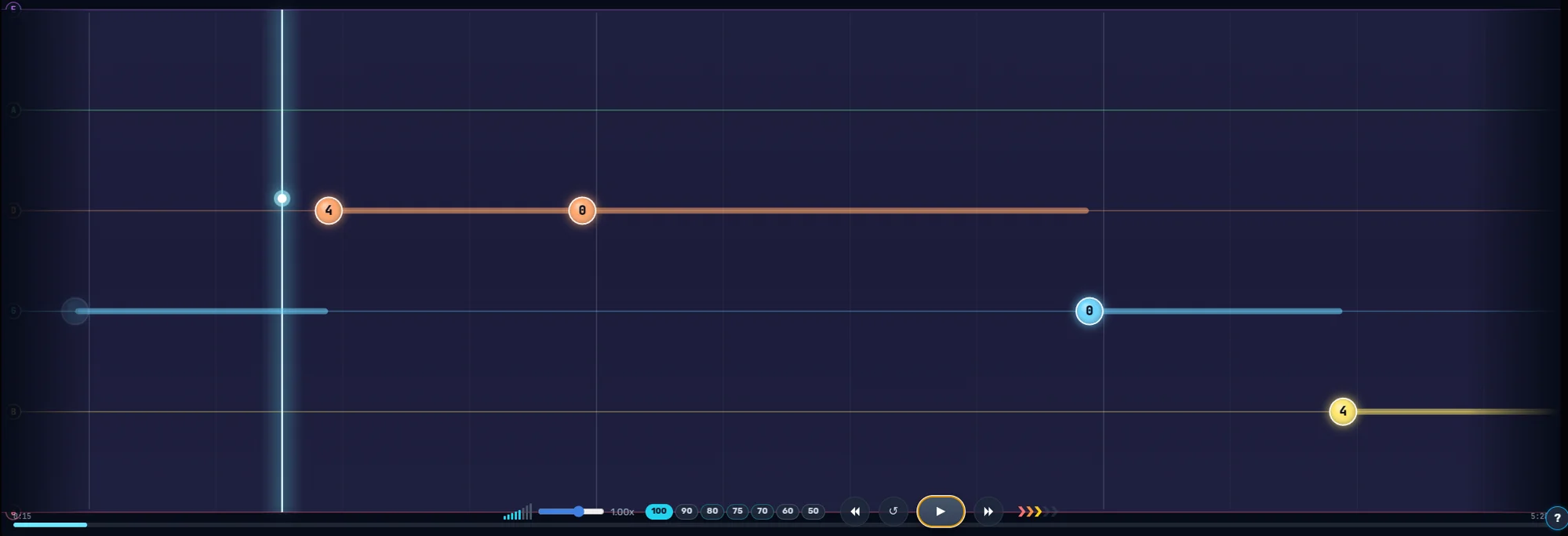
Plug in your electric or mic up an acoustic — real-time note detection follows every note, bend, and chord as you play the highway.
- 3D note highway built around strings and frets
- Alternate tunings, capo support, and a built-in tuner
- Slow down, loop, and drill the hard riffs until they land
Instruments
Bass
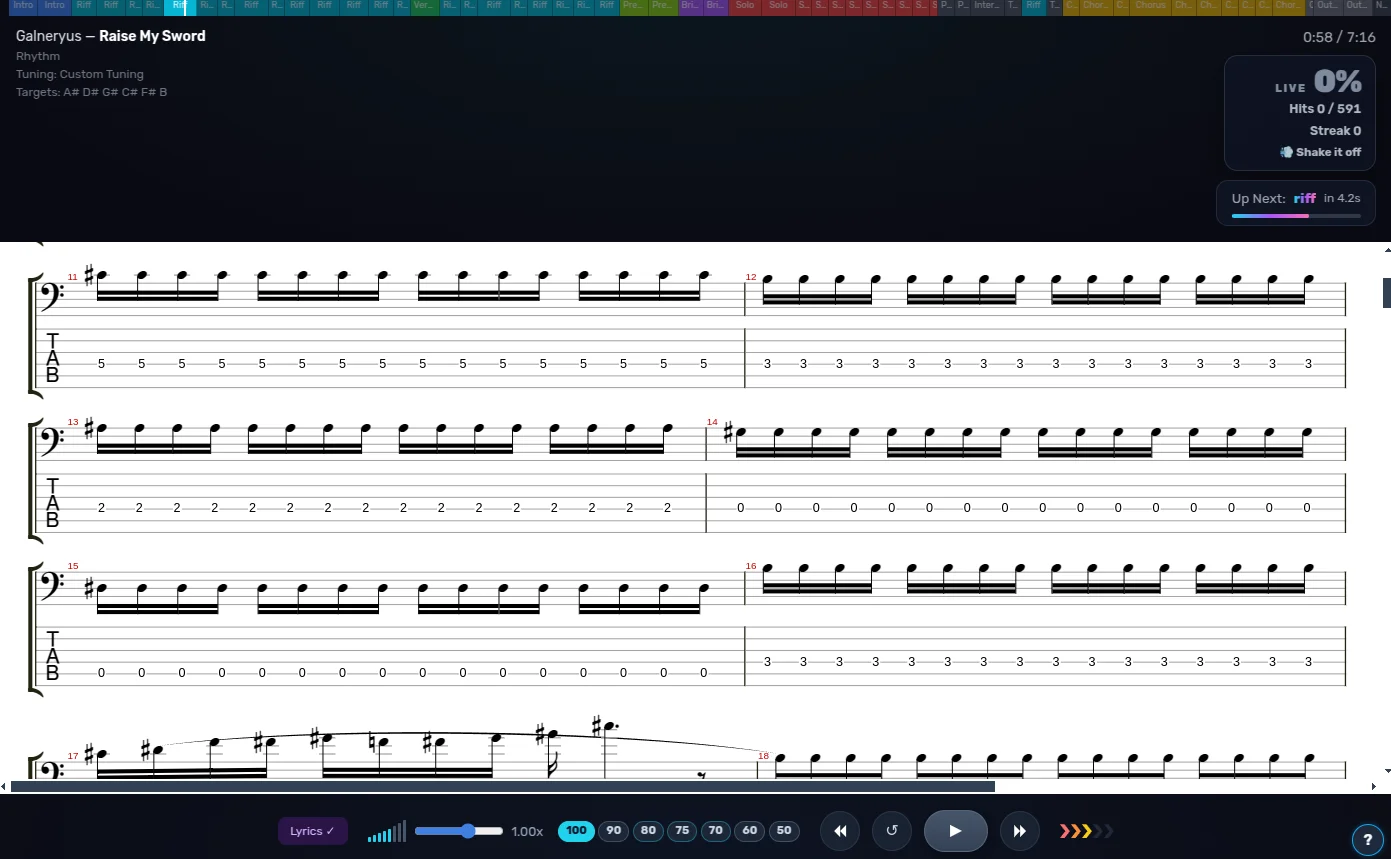
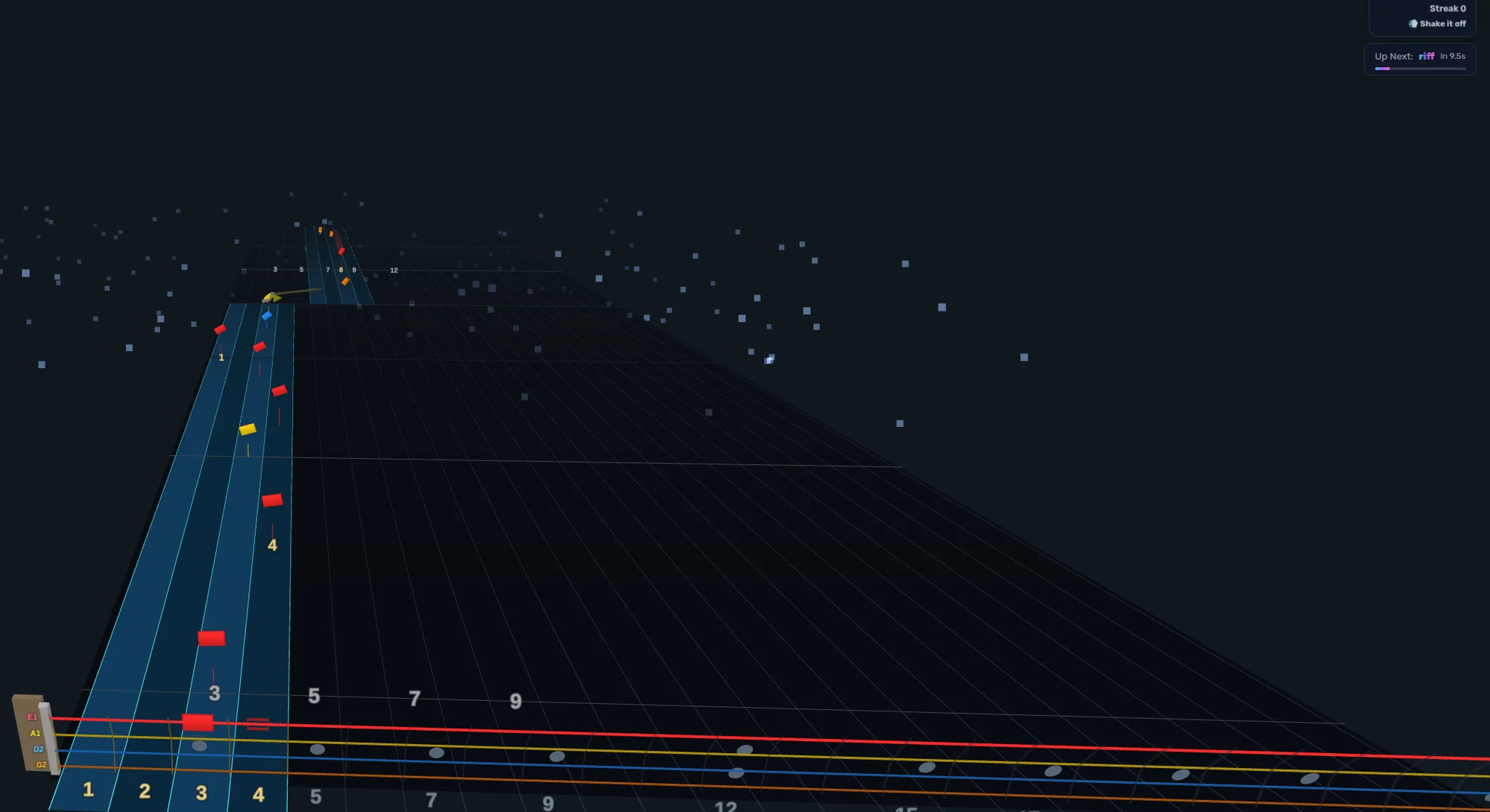
Dedicated bass arrangements put you in the pocket — lock in with the drums and carry the song, with detection tuned for the low end.
- Bass-specific charts, not guitar hand-me-downs
- Groove and timing feedback as you play
- Works with any audio interface, 4 strings or 5
Instruments · Under development
Vocals
Sing lead or harmony with synced lyrics and live pitch detection — see exactly where your melody sits and when to come in.
- Karaoke-style synced lyrics with melody line
- Live pitch tracking against the chart
- Any microphone works — no special hardware
Vocals
Screenshot coming soonInstruments
Drums
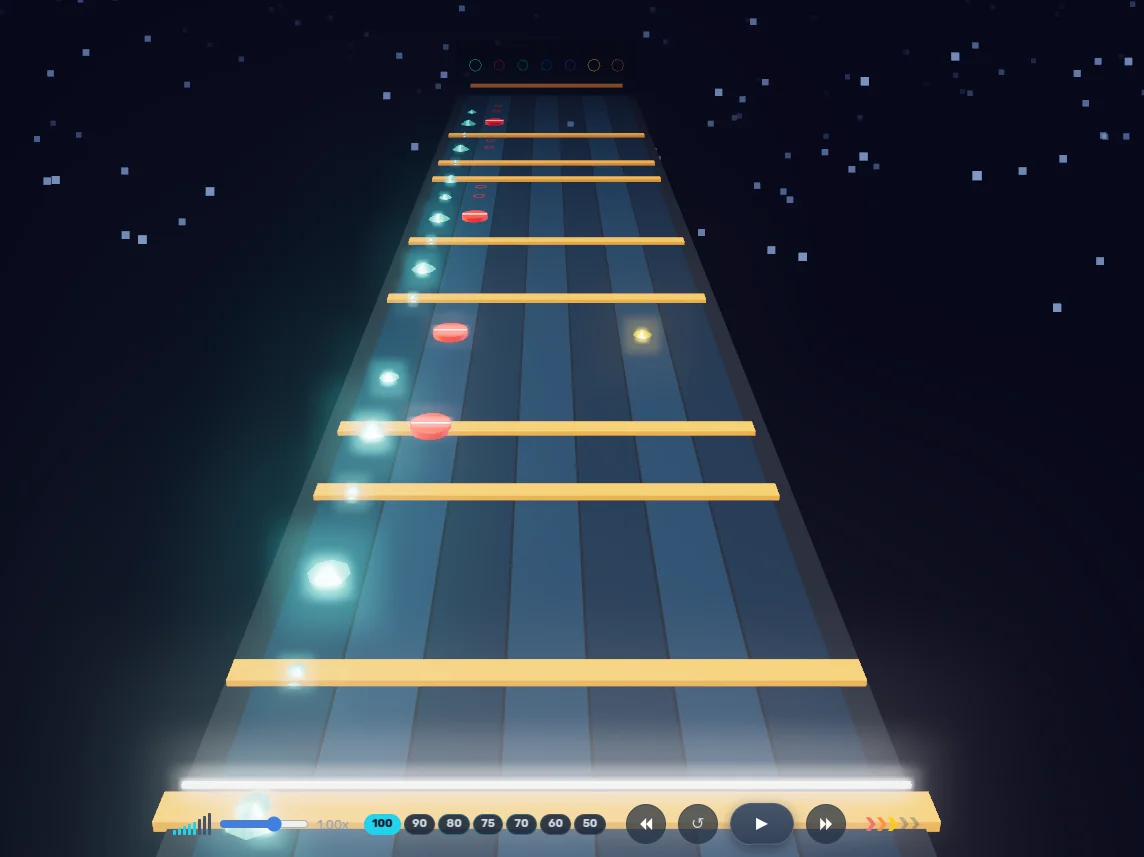
Hook up an e-kit over MIDI or mic your acoustic kit — the drum highway shows every hit across the full kit, from hi-hat to kick.
- Dedicated 3D drum highway with per-lane pads
- E-drums over MIDI, acoustic kits over mics
- Build limb independence one pattern at a time
Instruments
Keys
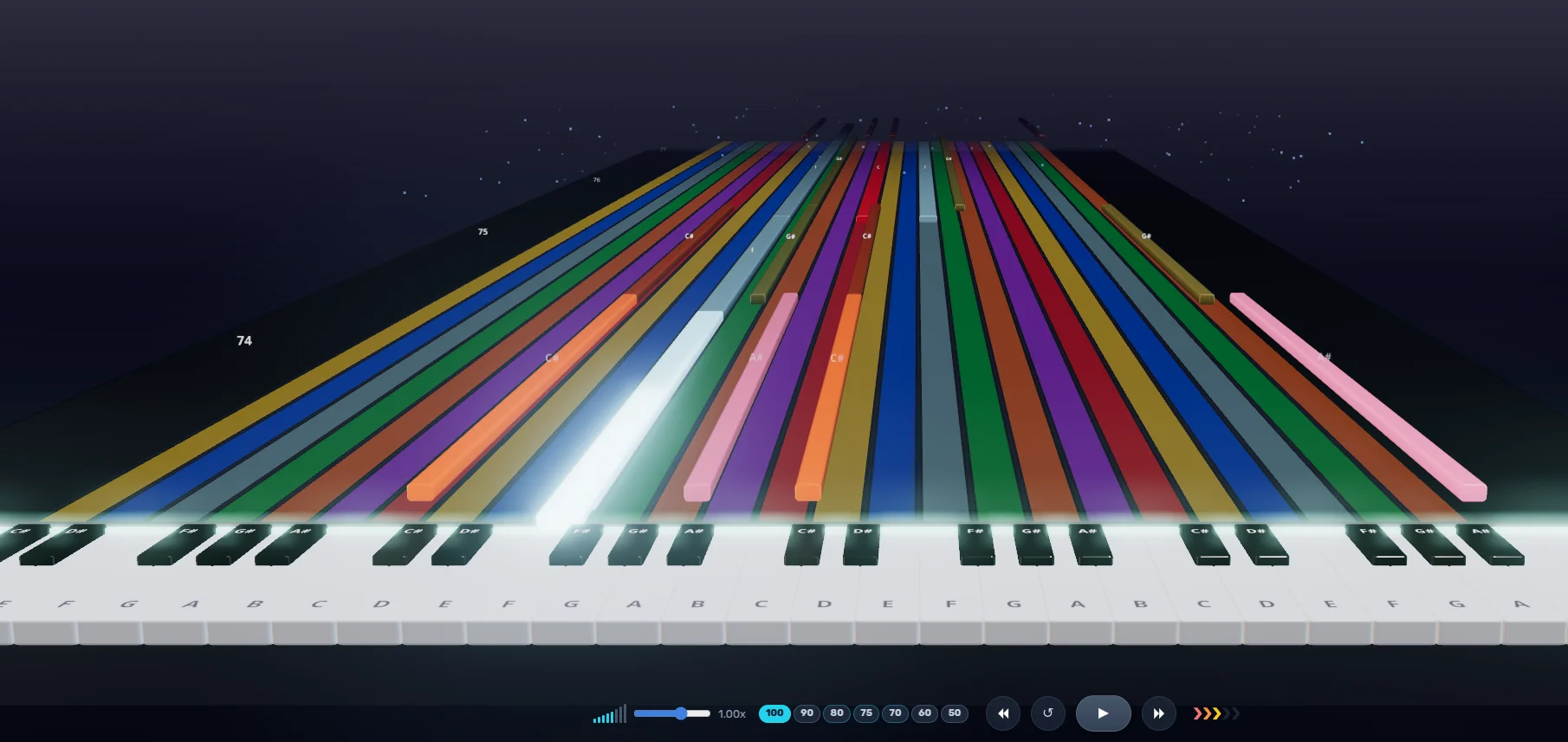
Connect any MIDI keyboard and play piano and keys parts on a highway that mirrors the keybed — every octave, both hands.
- Keys highway aligned to the full keyboard
- Full MIDI support — velocity, sustain, and all
- Theory training that connects to what you play
Everything you need to play — and keep getting better.
Per-instrument highways
3D note highways tuned to how each instrument is actually played — guitar, bass, drums, keys, and vocals.
Chart creation
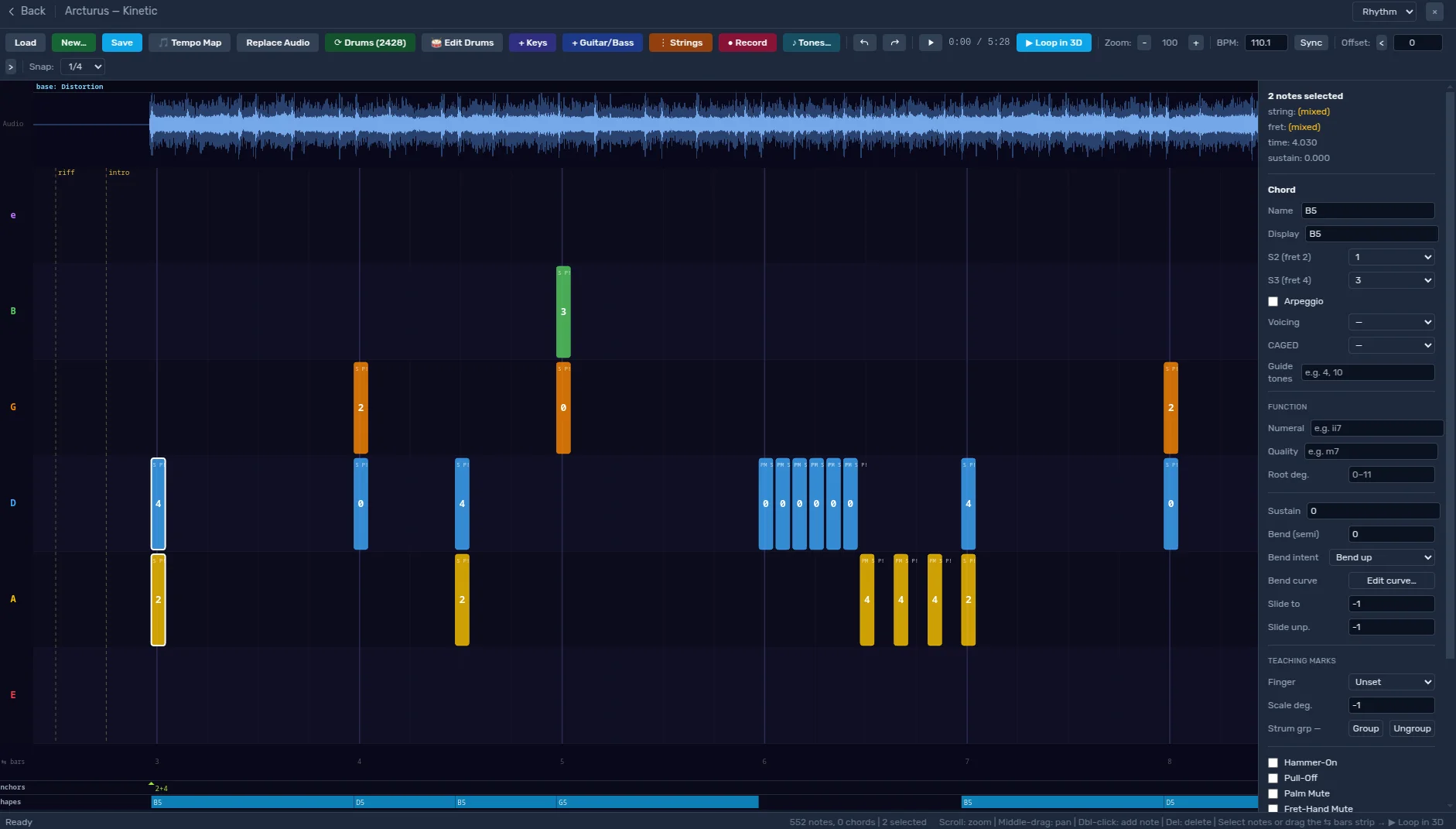
Author arrangements in the built-in editor, or import Guitar Pro and MusicXML files straight into your library.
Stems & practice tools
Isolate parts, slow down without changing pitch, and loop the hard bars until they're easy.
Theory & lessons
Music theory training and guided lessons that connect what you play to why it works.
Minigames
Arcade-style drills that sharpen technique while you're having fun.
Plugin ecosystem
Every feature is a plugin — swap them, configure them, or build your own.
Feats of Power
Every name up here earned its place. No scores, no rankings — just deeds.
Summoning the wall…
How it works
- 1
Get the app
Install the desktop app on Windows, macOS, or Linux — or self-host with Docker.
- 2
Add your songs
Import Guitar Pro or MusicXML files, grab feedpak charts, or author your own in the editor.
- 3
Play & improve
Plug in and play — real-time note detection listens and scores as you go, on any instrument.
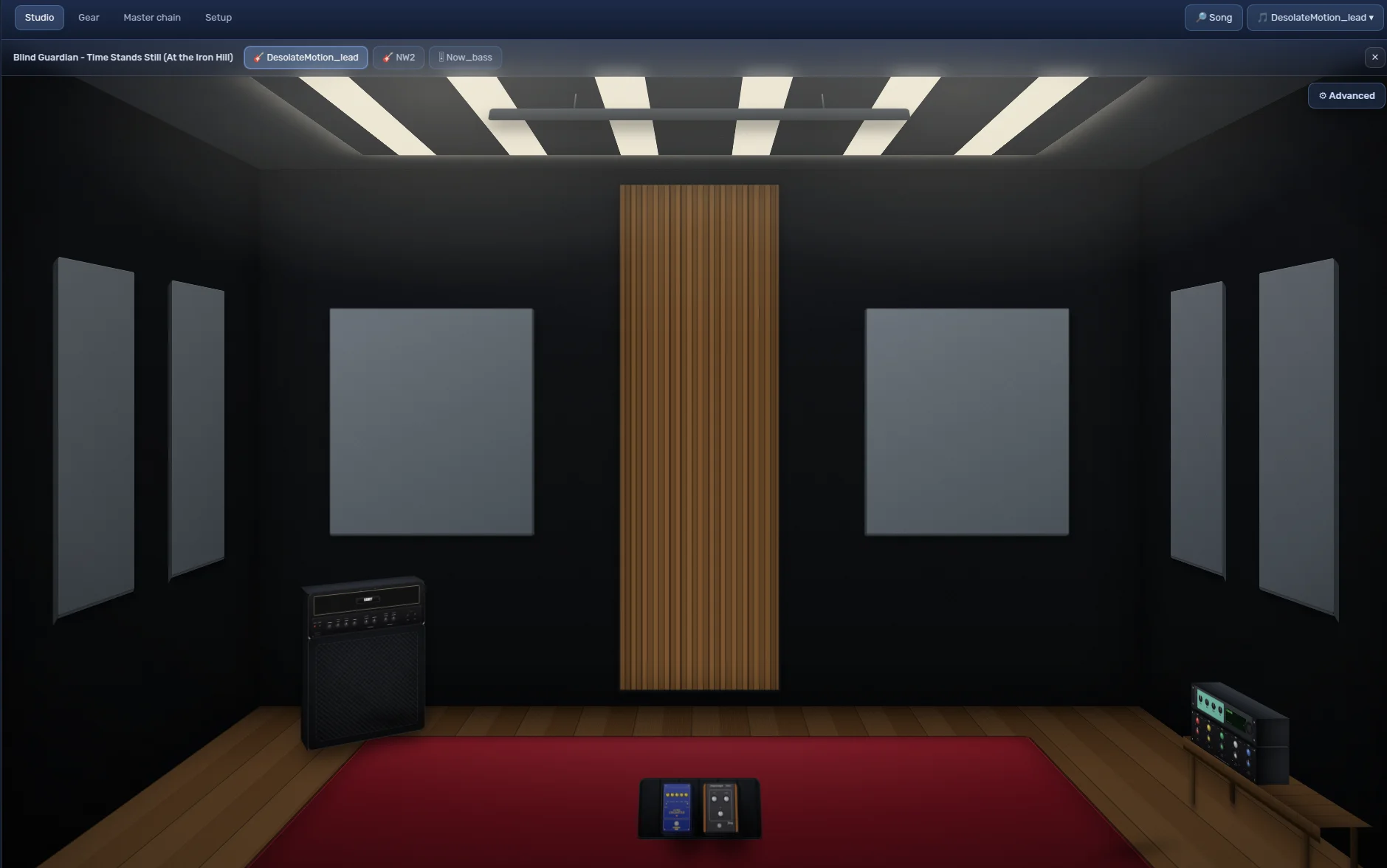
![fee[dB]ack plugin pedalboard — 3D Drum Highway, Drum Highway, Fretboard View, Guitar Theory Lab, Input Setup, and Jumping Tab pedals chained with patch cables](assets/pedals.webp)
Built to Be Extended
No two communities play the same way.
![fee[dB]ack](assets/logo-white.svg)
Song Editor
Author it. Audition it. Repeat.
That's why Fee[dB]ack was designed with extensibility at its core. Through a powerful plugin environment, developers can create new gameplay systems, tools, interfaces, training experiences, and entirely new ways to interact with the platform.
Whether you're customizing your own experience or building something for everyone, the possibilities are limited only by your imagination.
Open Source
Free to play, free to read, free to build on.
GitHub
The got-feedback organization — core app, desktop builds, and the whole plugin family.
feedpak spec
The open file format for interactive charts. Fully documented, no lock-in.
Build a plugin
Nav links, screens, settings panels, gameplay — plugins can add all of it. If you can write a little JavaScript and Python, you can extend fee[dB]ack.
Get fee[dB]ack
Latest nightly build — grab a desktop build, or self-host with Docker.
Docker
Self-host the web app on your own box.
Keep the music playing
Fee[dB]ack is free and always will be. If it helps you play, consider supporting development — every contribution goes straight into building the platform.
FAQ
Is fee[dB]ack free?
Yes — free and open-source. If you want to support development, there are Patreon and Ko-fi links in the footer.
What instruments can I play?
Guitar, bass, drums, keys, and vocals. Audio input works with any interface or microphone, and MIDI is supported for keys and e-drums.
Where do songs come from?
Import Guitar Pro or MusicXML files, author your own charts in the built-in editor, or use charts in the open feedpak format.
What hardware do I need?
A computer and your instrument. For guitar and bass, any audio interface (or even a decent mic) works. Keys and e-drums can connect over MIDI.
Desktop app or self-hosted?
Both. The desktop app bundles everything, including the native low-latency audio engine. Or run the web app yourself with a single docker compose up.